
Pregled studijske rasvjete za PhotoRobot sustave
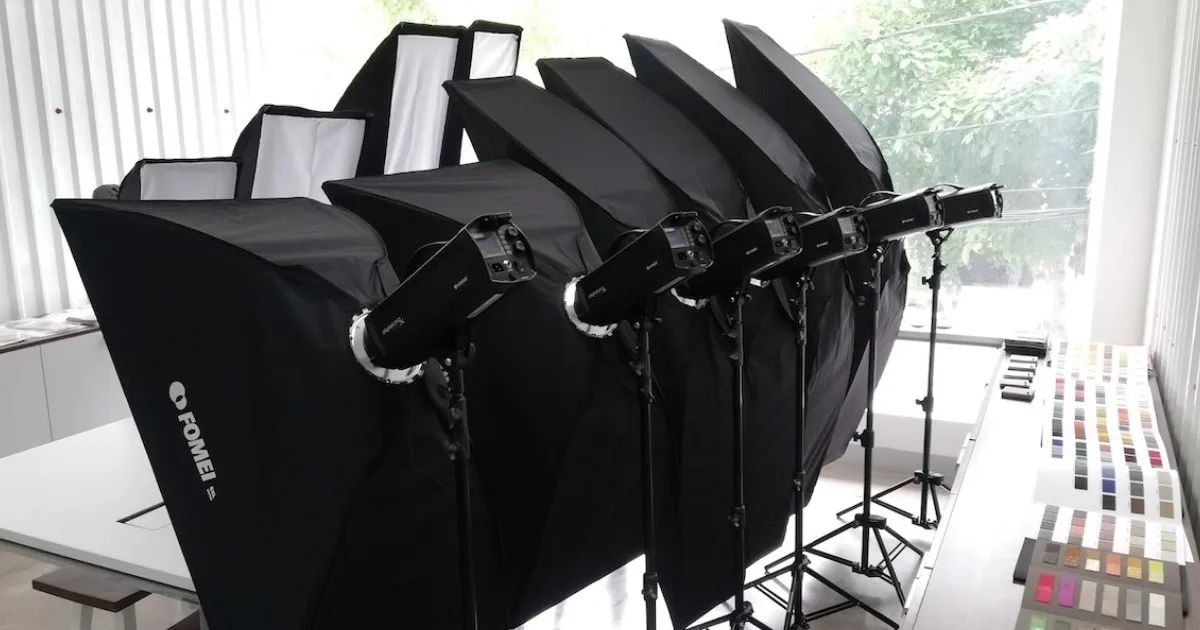
Sljedeći pregled opisuje izbor studijske rasvjete za PhotoRobot kupce. To uključuje informacije koje pokrivaju sve vrste dostupnih studijskih svjetala za PhotoRobot. Pronađite izbore za continuous, strobe i DMX-controlled rasvjetu od Broncolora, FOMEI-ja i Profoto-a.
Dostupne su tehničke informacije o kvaliteti rasvjete, kao i o pristupu rasvjeti za fotografiranje proizvoda općenito. To uključuje uobičajene pogreške u studijskoj rasvjeti za fotografiranje proizvoda, kako ih PhotoRobot rješava, i tehničke bilješke o postizanju savršene dubine polja.
Napomena: Ovaj korisnički priručnik pruža opći pregled vašeg izbora sustava rasvjete za upotrebu s PhotoRobot-om. Za tehničku dokumentaciju o određenom sustavu studijske rasvjete, pogledajte PhotoRobot korisničke priručnike ili dodatne resurse na kraju ovog dokumenta.
Izbor studijske rasvjete s PhotoRobotom
Umjesto korištenja masovno proizvedenih (jeftinih) studijskih svjetala, PhotoRobot integrira samo profesionalnu studijsku rasvjetu tvrtki Broncolor, FOMEI i Profoto. Ove marke omogućuju PhotoRobot kupcima da se usredotoče na povećanje propusnosti bez ikakvog rizika od ugrožavanja kvalitete zbog loše rasvjete.
Na kraju, cjelokupni pristup rasvjeti fotografiranih proizvoda ključan je za dobivenu sliku. Štoviše, ta je slika često odlučujući faktor u uspjehu ili neuspjehu prodaje proizvoda na mreži i osiguravanju minimalnih povrata.
Zbog toga PhotoRobot podržava samo profesionalnu studijsku rasvjetu. Kvaliteta rasvjete je važna, pogotovo pri brzinama PhotoRobota. Stoga je potrebno posvetiti posebnu pažnju odabiru i konfiguraciji naših sustava rasvjete.
Najčešća pogreška u studijskoj rasvjeti
Jedna od najčešćih pogrešaka u studijskoj rasvjeti je korištenje pretjeranog intenziteta pozadinskog osvjetljenja za fotografiranje proizvoda. Iako to može dovesti do savršeno bijele pozadine, količina svjetla koja prodire straga zamagljuje konture objekta. Ovaj takozvani „svjetlosni omotač“ uobičajen je među sve-u-jednom „sustavima nalik kutiji“ koji koriste neodgovarajuću difuznu rasvjetu, stvarajući velike probleme u praksi.

Prekomjerna intenzitet pozadinskog osvjetljenja rezultira:
- Smanjen ili gubitak sjaja na reflektirajućim površinama;
- Promjena boje (zbog mliječnog tona);
- Gubitak teksture.
S druge strane, ako je izvor svjetla preslab da omogući dovoljno zatvaranje leće, dubinska oštrina postaje preplitka. To rezultira zamućenjem ispred i iza objekta, što je posebno primjetno pri zumiranju slika s online preglednicima.
Dubinska oštrina u 360 SPIN fotografiji
U kontekstu 360 okretaja proizvoda, nije važno samo da se subjekt uklapa u FRAME u smislu širine i visine. Također je potrebno da cijela slika ostane u fokusu, i da je pozadina izvan fokusa ako je moguće. To omogućuje jednostavno izračunavanje dubine polja i kasniju provjeru DoF-a u praksi.
Koristite PhotoRobot kalkulator dubinske oštrine za procjenu bliskih i dalekih granica fokusa, ukupne dubinske oštrine i hiperfokalne udaljenosti za bilo koju kombinaciju žarišne duljine, otvora blende, formata senzora i udaljenosti subjekta.
Za brzu referencu, koristite PhotoRobot Depth of Field Chart za brzo pronalaženje ukupne dubinske oštrine za uobičajene udaljenosti i otvore blende subjekta.
Napomena: Pri zadanoj žarišnoj duljini objektiva, dubina polja je pod utjecajem udaljenosti kamere. Dodatno, udaljenost kamere može se kontrolirati samo do određene mjere kada je kamera montirana na ROBOTIC ARM. Isto vrijedi i za vrijednost otvora blende (f-stop). Za postizanje veće dubine polja, potreban je veći otvor blende, što rezultira većim zahtjevima za intenzitet osvjetljenja.
Iako su kontinuirana LED svjetla popularna (i unatoč njihovom tehnološkom napretku), njihov intenzitet svjetlosti u pogledu većih objekata ostaje nedovoljan. Veći objekti zahtijevaju bljeskalice.
Stroboskopsko osvjetljenje omogućuje izuzetno kratko vrijeme ekspozicije (npr. 1 / 10.000 s). To znači da nema potrebe za zaustavljanjem kretanja stroja radi snimanja slike. Umjesto toga, ekspozicija se izvodi „zamrzavanjem pokreta“ tijekom vrlo kratkog i intenzivnog bljeska. Istovremeno, PhotoRobot može očitati položaj TURNTABLE-a 1.000 puta u sekundi kako bi osigurao da se bljesak dogodi u točno pravom trenutku.
Što to znači? Bez zaustavljanja rotacije TURNTABLE-a, prosječno se postiže četverostruko povećanje produktivnosti.
Vrste dostupnih studijskih svjetala za PhotoRobot
Za funkcionalan rad PhotoRobota sa studijskim svjetlima, automatska kontrola svjetla je strogi zahtjev. Automatska kontrola svjetla je neophodna kako bi određeni proizvod (ili kategorija proizvoda) mogao funkcionirati s automatski unaprijed postavljenim parametrima osvjetljenja putem softverske kontrole (PhotoRobot Kontrole). To također znači da operater ne mora ručno resetirati osvjetljenje scene.
Kontinuirana svjetla
Kada se koristi kontinuirano osvjetljenje, sustav sabirnice DMX je uobičajen. Podržava ga niz proizvođača, kao što je popularni britanski proizvođač Rotolight. Njihov asortiman ANOVA posebno dobro funkcionira s PhotoRobot, ali imajte na umu da je također moguće spojiti LED svjetla vlastitog dizajna. Na primjer, mogli bismo koristiti LED svjetla vlastitog dizajna prilikom fotografiranja nakita ili malih predmeta. U ovom slučaju, odsutnost bljeskalica može biti ugodna prednost za operatera, dok intenzitet svjetla ostaje dovoljan s obzirom na veličinu objekata.
PhotoRobot sustavi kontroliraju DMX sustav putem USB adaptera, koji se spaja na kontrolnu jedinicu robota ili na upravljačko računalo.
Stroboskopska svjetla
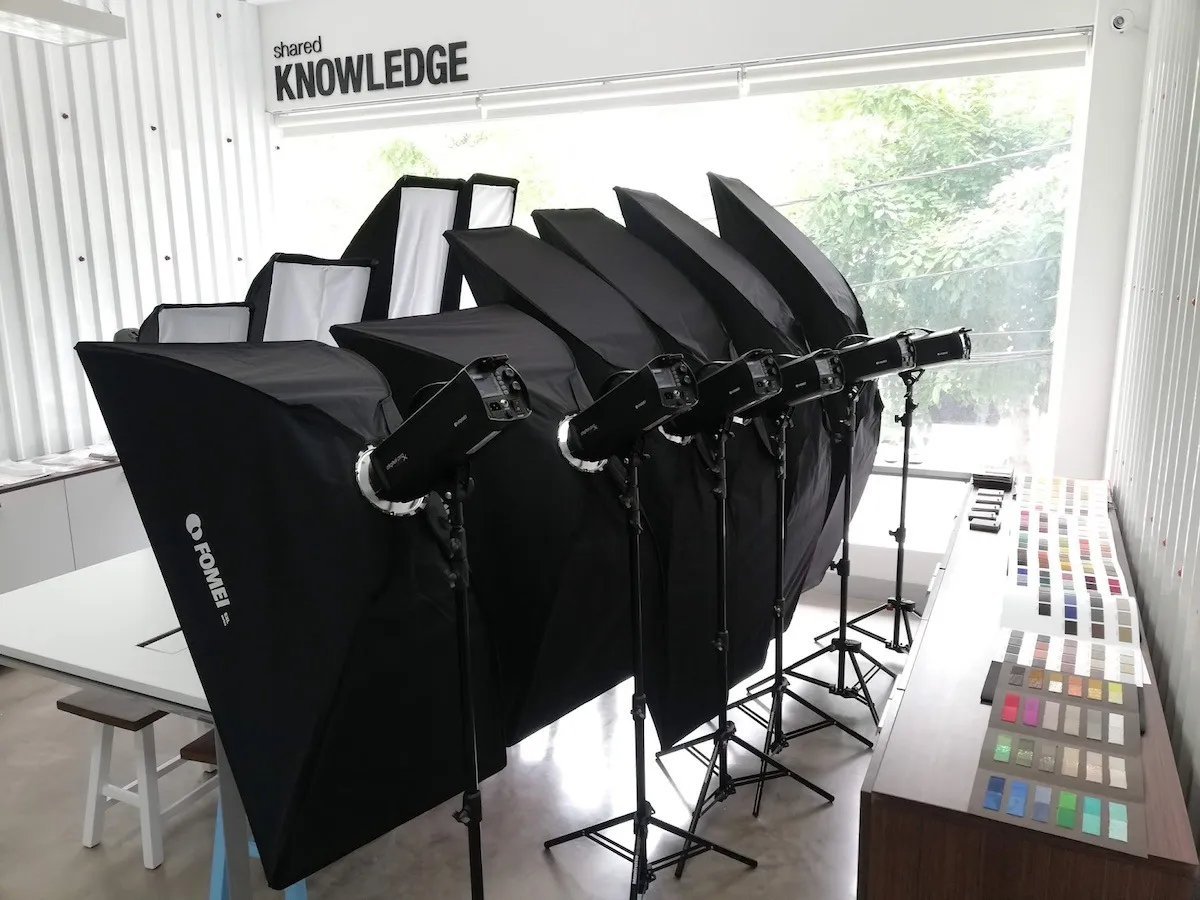
Proizvođači stroboskopskih svjetala obično koriste vlasničke komunikacijske protokole. PhotoRobot trenutno podržava kontrolu sljedećih marki.
- Broncolor (serija Siros S)
- FOMEI (serija Digital Prox X)
- Profoto
Napomena: Za tehničku dokumentaciju i korisničke priručnike o specifičnim sustavima rasvjete za korištenje s PhotoRobotom, pogledajte dodatne resurse na kraju ovog dokumenta.
Broncolor
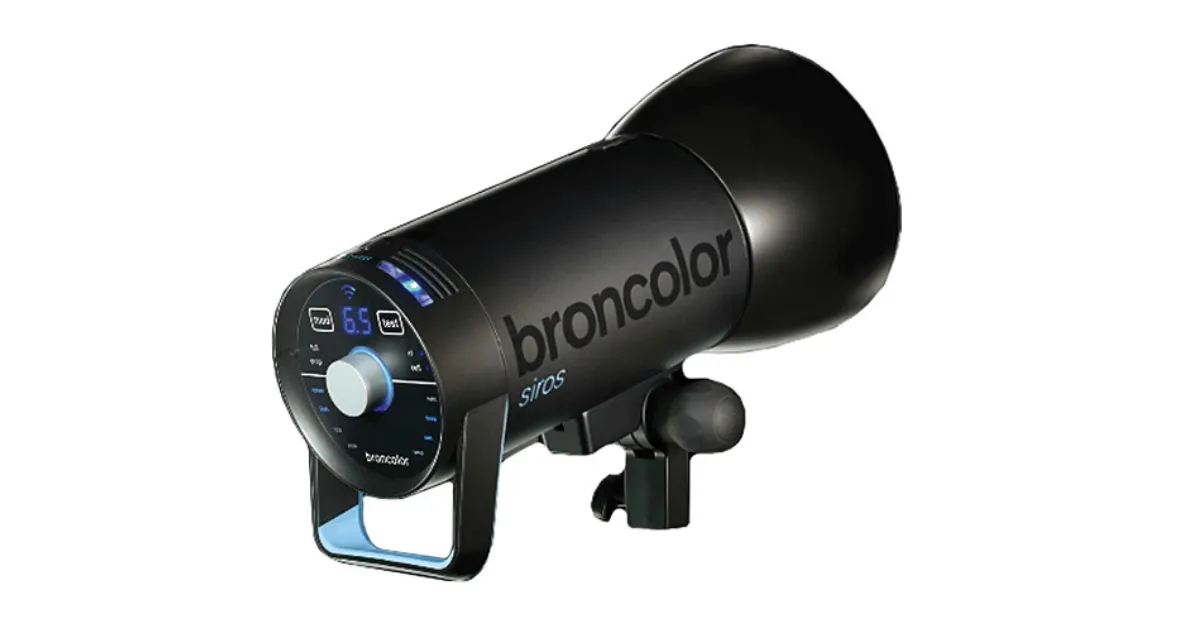
Serija Broncolor Siros S pruža prvoklasnu kvalitetu, Wi-Fi kontrolu i visoku stabilnost boja (čak i kada se intenzitet bljeskalice mijenja). To eliminira svaku potrebu za kalibracijom boja pri promjeni postavki osvjetljenja. Serija Broncolor Siros S također ima visoku frekvenciju bljeskalice (čak i pri visokom intenzitetu) i dolazi s kompletnim setom dodataka. Njezina viša cijena stoga je u potpunosti u skladu s isporučenom kvalitetom i performansama, što je prikladno za kupce s visokim zahtjevima u pogledu propusnosti proizvoda ili ekstremne kvalitete slike.
FOMEI
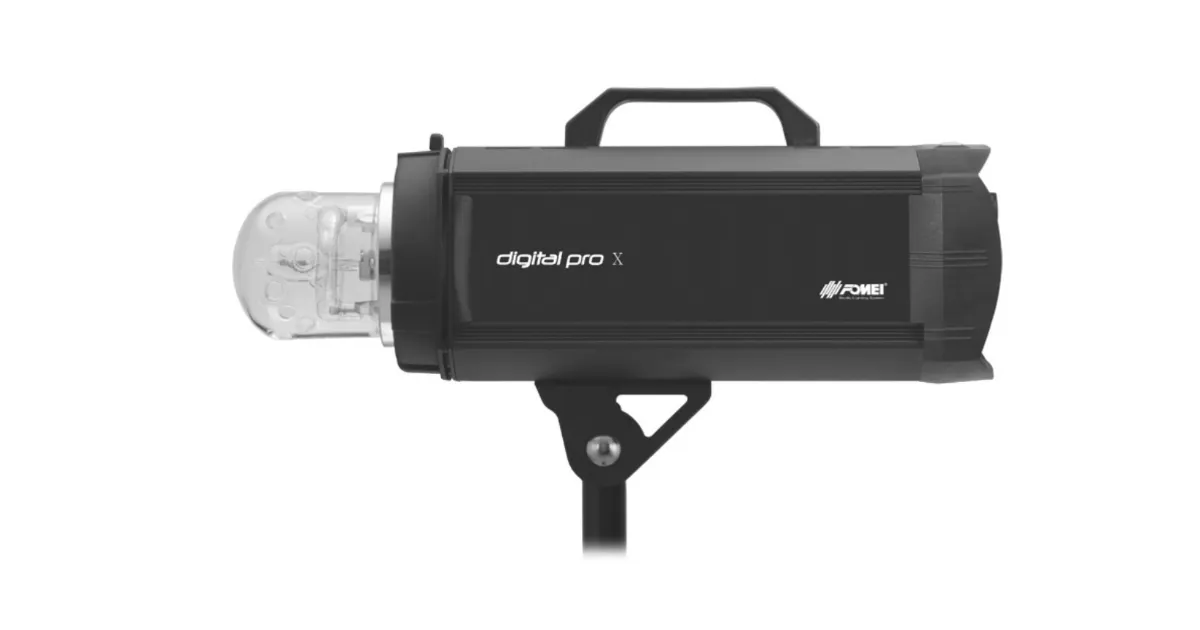
Digital Pro X studijske bljeskalice tvrtke FOMEI pružaju izvrsnu dokazanu kvalitetu i dolaze s kompletnim setom dodataka. Svjetla pružaju srednji raspon performansi u smislu stabilnosti, pouzdanosti i učestalosti bljeskova, nudeći pritom izvrstan omjer cijene i performansi.
Profoto
Instalacija Profoto svjetala moguća je samo za kupce koji već koriste Profoto proizvode i ne žele mijenjati marke. To je zbog ograničene podrške za Profoto svjetla.
Dodatni PhotoRobot - Resursi za studijsku rasvjetu
Za dodatnu dokumentaciju i korisničke priručnike o specifičnim sustavima rasvjete za upotrebu s PhotoRobotom, pogledajte sljedeće korisničke resurse.
- Upravljanje svjetlima Broncolor
- FOMEI komplet za stropni sustav
- FOMEI Digital Pro X serija
- FOMEI LED DMX 150B
- FOMEI LED DMX 300B
- FOMEI LED DMX 600B
- FOMEI LED ROLL


Serija EOS Rebel


Serija EOS DSLR


Serija EOS M bez zrcala


Serija PowerShot


Krupni plan / Ručni

Serija EOS Rebel tvrtke Canon nudi DSLR fotoaparate prilagođene početnicima sa solidnom kvalitetom slike, intuitivnim kontrolama i svestranim značajkama. Idealne za ljubitelje fotografije, ove kamere pružaju pouzdano automatsko izoštravanje, zaslone osjetljive na dodir promjenjivog kuta i snimanje Full HD ili 4K videozapisa.
Veza
Razlučivost (MP)
Rezolucija
Serija EOS DSLR tvrtke Canon pruža slike visoke kvalitete, brzo automatsko izoštravanje i svestranost, što ga čini idealnim za fotografiju i videoprodukciju.
Veza
Razlučivost (MP)
Rezolucija
Serija EOS M bez zrcala tvrtke Canon kombinira kompaktan dizajn s performansama sličnim DSLR-u. S izmjenjivim objektivima, brzim autofokusom i visokokvalitetnim senzorima slike, ove su kamere izvrsne za putnike i kreatore sadržaja koji traže prenosivost bez žrtvovanja kvalitete slike.
Veza
Razlučivost (MP)
Rezolucija
Serija PowerShot tvrtke Canon nudi kompaktne fotoaparate prilagođene korisniku za povremene strijelce i entuzijaste. S modelima u rasponu od jednostavnih fotoaparata za usmjeravanje i snimanje do naprednih kamera za zumiranje, pružaju praktičnost, solidnu kvalitetu slike i značajke poput stabilizacije slike i 4K videozapisa.
Veza
Razlučivost (MP)
Rezolucija
Fotoaparati za krupni plan i ručni fotoaparati tvrtke Canon dizajnirani su za detaljno fotografiranje i videozapise izbliza. Kompaktni i jednostavni za korištenje, nude precizno izoštravanje, snimanje visoke razlučivosti i svestrane makro mogućnosti – savršeni za vlogiranje, fotografiranje proizvoda i kreativne krupne planove.


